Write your CV with AI.
Formatted to pass ATS filters.
Enter your role and background — the AI writes your bullet points, checks your CV against common ATS parsing rules, and tailors it to a specific job description. Free to start.
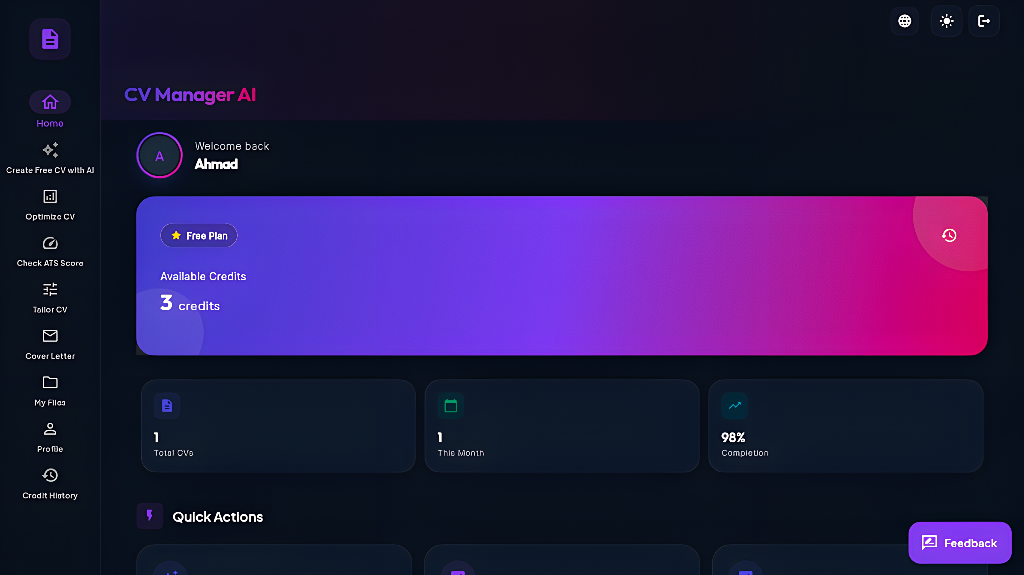
What the tool actually does
Five specific tools, not a vague promise.
Instant CV generation
Describe your role and background — the AI drafts bullet points, a summary, and a skills section you can edit.
Learn more →ATS format check
Checks your CV's structure against common parsing rules — headings, dates, file structure — so an ATS can read it correctly.
Learn more →Multiple languages
Generate CVs and cover letters in English, Arabic (RTL), French, German, and other supported languages.
Learn more →Tailor to a job post
Paste a job description and the AI adjusts your CV to foreground the skills and keywords that posting actually asks for.
Learn more →Cover letter writer
Give it your CV, the company name, and the job description — it drafts a cover letter that lines up with both.
Learn more →How it works
Add your details
Enter your background, or paste an existing resume to start from.
AI drafts it
The AI writes bullet points and checks formatting against ATS rules.
Edit and download
Review, adjust anything, and download the PDF.
Why ATS formatting matters
Many companies use an Applicant Tracking System to parse résumés before a human sees them. A CV with unusual formatting, tables, or missing standard headings can be misread or dropped. The ATS checker flags exactly that class of issue before you apply.
Guides by profession
What actually matters for your field, not generic advice.
Software Engineers
Tech-stack listing, GitHub links, ATS quirks in engineering job boards.
Accountants
Certifications, compliance language, and quantifying financial impact.
Healthcare
Licensure, clinical hours, and how healthcare ATS systems parse credentials.
Teachers
Certification lines, quantifying classroom outcomes, and district ATS quirks.
How it compares
Feature-by-feature comparisons, including where each competitor genuinely wins.
Canva is design-first and template-driven; this tool writes and structures content for ATS parsing.
Read the comparison → vs ZetyZety is subscription-based; the core CV generation and ATS check here are free.
Read the comparison → vs Resume.ioResume.io focuses on templates; this tool also tailors content per job description.
Read the comparison → vs KickresumeSimilar AI-assisted approach; the differences are in pricing and language coverage — details in the full comparison.
Read the comparison →An example of what the AI changes
Illustrative example — not a specific user's result.
• Responsible for managing projects
• Helped with marketing campaigns
• Did customer service tasks
• Led a cross-functional team of 8 across 3 concurrent projects
• Ran paid campaigns across two channels within a set budget
• Handled inbound support tickets within an SLA window
Why this exists
A well-formatted CV shouldn't require design software or a paid subscription. This tool exists to make the two things that actually matter — clear writing and correct ATS formatting — free to get right, in a couple of minutes.
Frequently asked questions
How can I create a CV for free using AI?
Launch the app, enter your details or paste an old resume, and the AI drafts bullet points and a summary tailored to your target role.
Is it really free?
Generating, optimizing, and downloading your CV as a PDF is free to start. Some AI-heavy actions use a small credit allowance.
Does it check ATS compatibility?
Yes — the ATS checker reviews structure, headings, and formatting against common parsing rules used by Applicant Tracking Systems.
Can I generate a cover letter too?
Yes — the cover letter tool uses the same profile data so tone and content match your CV.
Build your CV in about a minute
Free to start. No credit card required.
Generate ATS-Optimized CV Free →